We did the heavy lifting in 2025. Here’s what it

Computer Vision Annotation Tool and Services with Frame-Level Precision

Bounding boxes to semantic segmentation, frame-accurate video annotation with AI-assisted tooling built to handle hundreds of thousands of frames.
ai services

Ready for the Footage You Have, and the Footage You Don't Yet

No re-encoding before annotation starts, configurable shortcuts for faster review, and native field collection via Nimble when you need to shoot new video
formats supported
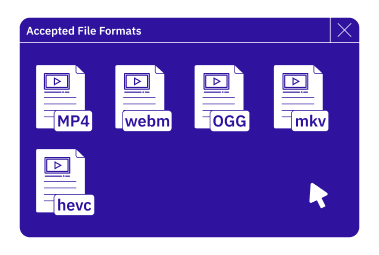
Formats Supported
MP4, WebM, OGG, MKV, HEVC
formats supported
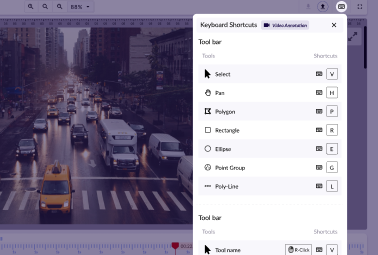
Customisable Shortcuts
Speed up workflows with configurable keyboard shortcuts.

formats supported
Data Collection with  Nimble
Collect specific video samples directly with our data collection app, Taskmonk Nimble.
Tooling to Tame Hundreds of Thousands of Frames

Your computer vision workflows, faster and more seamless.
feature-image
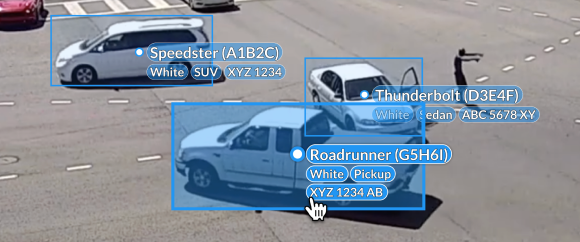
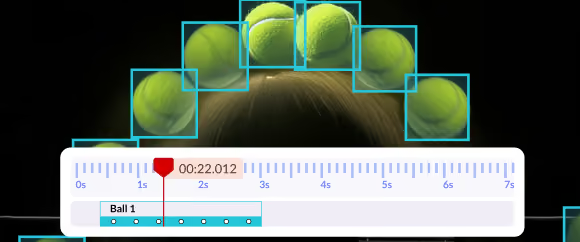
Bounding Boxes with Interpolation
Detect and track objects across consecutive frames, with AI helping you predict movement across frames.
feature-image
Polygon Annotation
Annotate shape-agnostic objects within a frame, covering every single vertex
feature-image
Semantic Segmentation
Classify each pixel in a frame with contextual understanding, teaching your ML algorithms to decipher scenes.
feature-image
Instance Segmentation
Identify and separate individual object instances within a frame, even when objects share a class or overlap.
feature-image
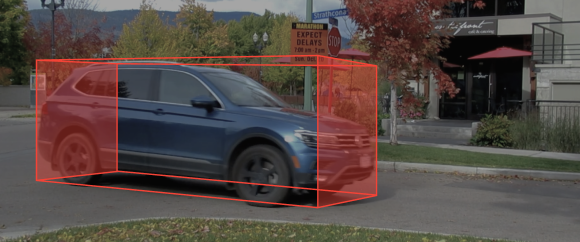
3D Cuboid Annotation
Understand the spatial dimensions of objects better and train your ADAS systems to become smarter.
feature-image
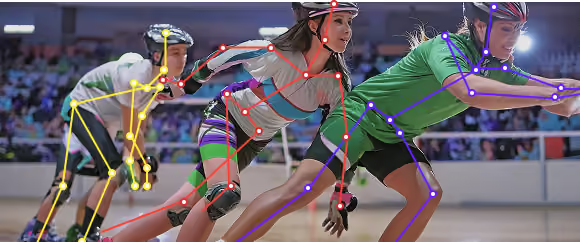
Keypoint Annotation
Define the shape, structure, and pose of objects by annotating multiple points.
feature-image
Polyline Annotation
Make your ML algorithms aware of real-world physical rules and constraints to operate within them.
feature-image
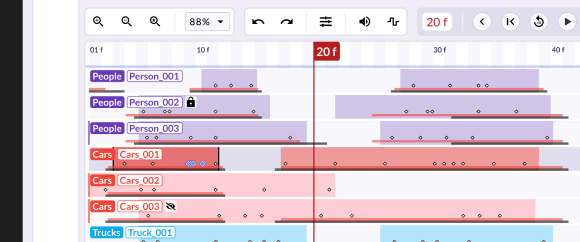
Video Annotation
Track objects and events continuously across a full video sequence, not just frame by frame in isolation.

Auto Annotation That Doesn't Skip Quality Control

AI-assisted annotation, evaluated against the metrics your models are actually judged on.
annotation
Annotation Automation
Interpolation · Automatic object detection · SAM-3-assisted segmentation · Keyboard shortcuts · Q/C logic
quality
Quality & Evaluation
Precision · Recall · IoU · Labelled-data analytics · Output format support (latest YOLO model, JSON, COCO, Pascal VOC)

A Built-In Image Editor

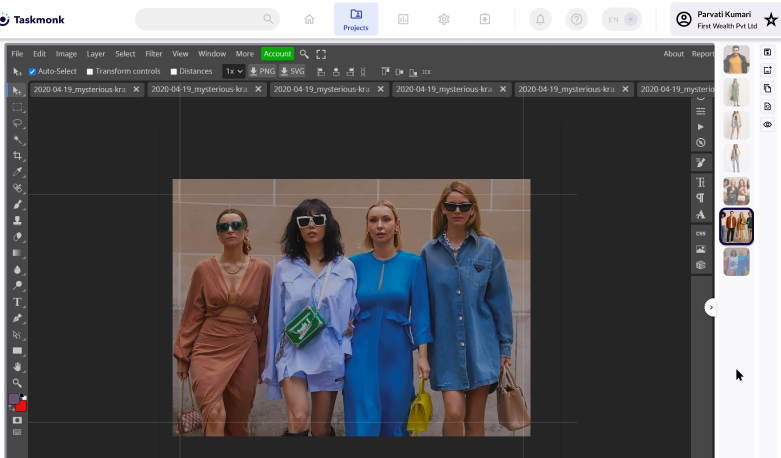
A Full Image Editor, bundled into the platform your annotation teams already work in
A Photoshop-style editing suite with action presets and comments, built into the platform. No separate image-editing license to procure for every annotator.

Built for How Computer Vision Actually Gets Used

From sports analytics to autonomous driving, the same label-ops layer adapts to every use case.
sports
Sports Analytics
Keypoint annotation to mark specific points, eyes, joints, for motion and performance analysis.
sports
Autonomous Driving
Video annotation and instance segmentation for street scene understanding.
sports
Lane Annotation
Polygon and group-based annotation for lane detection and mapping.
sports
Object Detection & Classification
Bounding box annotation for detection and classification pipelines.

Scale Built From Experience across Industries & usecases

Years of dedicated computer vision annotation, at production volume.

200

CV annotation headcount

2M+

Transactions processed

4+ Years

Running CV annotation ops

FAQ

What is computer vision data annotation?
Computer vision annotation is the process of labeling images and video, frame by frame, so machine learning models can detect, track, and classify objects. It covers bounding boxes, polygons, segmentation masks, keypoints, and 3D cuboids across formats like MP4, WebM, OGG, MKV, and HEVC.
Which annotation types does Taskmonk support for computer vision?
Bounding boxes with interpolation, polygon annotation, semantic segmentation, instance segmentation, 3D cuboid annotation, keypoint annotation, polyline annotation, and video annotation across a full sequence.
Does Taskmonk use AI prelabeling  to speed up computer vision annotation?
Yes. Taskmonk uses SAM-3-assisted one-click segmentation and automatic object detection, plus interpolation to predict object movement across frames, reducing manual work on repetitive frames.
What output formats are supported for computer vision datasets?
YOLO, JSON, COCO, and Pascal VOC, alongside precision, recall, and IoU quality metrics for evaluation.
What industries use Taskmonk's computer vision annotation?
Sports analytics (keypoint annotation for motion and performance analysis), autonomous driving (video annotation and instance segmentation), lane detection and mapping, and object detection and classification pipelines.
How much does computer vision annotation with Taskmonk cost?
Pricing depends on annotation type, volume, and QA requirements. See Taskmonk's pricing page for current plans, or talk to our experts for a project-specific quote.
Computer Vision Data, Annotated at Frame-Level Precision
Bounding boxes to semantic segmentation, backed by a vetted annotation team and AI-assisted tooling.