TL;DR
Choosing a video annotation machine learning tool for autonomous vehicles is harder than it looks. Most platforms cover the basic bounding boxes, object tracking, and some form of AI assist. The real differences show up when you're dealing with LiDAR fusion, adverse condition footage, safety-critical QA, and datasets that need to scale without quality degradation.
This guide compares the top five platforms on what actually matters for AV teams: 3D annotation depth, QA infrastructure, sensor fusion support, and whether the tool comes with a managed workforce or leaves that problem entirely to you.
Video annotation platforms covered in this guide:
- Taskmonk — End-to-end AV annotation with human+AI hybrid model, structured QA, and managed workforce built in
- Encord — Enterprise-grade video and 3D annotation platform for in-house AI teams with full pipeline control
- CVAT — Free, open-source annotation tool for technical teams with engineering resources and tight budgets
- Killi Technology — Purpose-built AV annotation platform for mid-size teams that have outgrown open-source
- Basic.ai — Scalable multi-modal annotation platform for high-volume LiDAR and video workloads
Introduction
A pedestrian stepping off a curb at night, partially occluded by a parked car that's not an edge case. That's Tuesday. And if your training data didn't label it correctly, your model won't handle it.
Every AV incident investigation eventually comes to the same question: what did the model see during training? Not what sensors were installed. Not what architecture was used. What was in the labeled data and what wasn't?
Video annotation is where that answer gets built. Frame by frame, object by object, across millions of labeled sequences that teach a perception model how the world actually behaves.
Neither raw sensor feeds nor Unlabeled footage can do that. Only structured, accurate, consistently annotated ground truth does.
Choosing the right annotation tool is choosing how well that ground truth gets built. This blog covers the five best options for autonomous vehicle AI training, compared honestly, with a clear recommendation for each team type.
But before discussing the annotation tool, it’s important to understand the role these tools play in turning raw sensor data into something a model can actually learn from.
The Role of Data Labeling Tools for Autonomous Vehicles
Cameras see everything. They understand nothing.
A forward-facing camera pointed at a busy intersection captures pixel data and light values across a grid. That's it. There's no pedestrian in that feed, no red light, no truck cutting across lanes. Those concepts don't exist until a human or a human-supervised process draws a box, assigns a label, and repeats that across every frame where that object appears.
That's what data labeling tools do. They're the infrastructure layer between raw sensor output and a model that can actually perceive the world.
How Annotation Turns Raw Video Into AV Training Data
The three annotation types that matter most for AV perception are
- Bounding boxes,
- Semantic segmentation, and
- Object tracking,
and they all serve different functions
None of these is optional. An AV model trained only on bounding boxes will detect objects. It won't understand motion trajectories, won't parse drivable surface boundaries, and won't hold onto an identity when a pedestrian steps behind a bus and reappears three seconds later.
You need all three working together and labeled consistently to build a perception system that behaves reliably in traffic.
Key Use Cases From ADAS to Full Self-Driving
The annotation requirements shift significantly depending on where you sit on the autonomy stack.
ADAS systems, such as lane-keeping assist, adaptive cruise control, and automatic emergency braking, need precise lane boundary annotation, vehicle detection, and relative distance cues. The margin for error is narrow because these systems intervene in real time. A misclassified lane marking doesn't degrade model accuracy in aggregate. It causes a specific, traceable failure at a specific moment.
Full self-driving pushes the requirements further. Now you need pedestrian intent estimation, traffic light state classification, construction zone parsing, and edge case coverage that ADAS never had to touch. Night driving. Heavy rain. Sun glare at low angles. A cyclist signaling a turn with one hand.
Why Annotation Quality Directly Impacts AV Safety
There's a version of this conversation that treats annotation as a back-office function, something that happens before the real work starts. That framing is wrong, and it's costly.
Label errors don't stay isolated. In video annotation machine learning, a single misclassified object in frame one propagates forward through interpolation. An auto-tracked bounding box that's slightly off at the start drifts further off by frame 30. At the dataset scale, millions of frames across thousands of clips, systematic annotation errors don't produce a noisier model. They produce a confidently wrong one.
The tools you use directly affect where those errors enter the pipeline. A platform with weak interpolation logic introduces drift. One without structured QA workflows ships inconsistent labels across annotator teams. One that lacks a clear ontology management system produces training data where "vehicle" means something different in clip 400 than it did in clip 40.
Annotation quality isn't a data hygiene issue. For autonomous vehicles, it's a safety issue — and the tool sitting at the centre of that workflow bears more responsibility than most procurement checklists acknowledge.
Understanding why annotation quality matters is step one. Step two is knowing what to look for in the tool that delivers it. Not all platforms are built for the same problem.
Key Features to Consider When Choosing a Data Labeling Tool
Not all annotation platforms are built for the same problem. A tool that works well for labeling product images in e-commerce will break down fast when you point it at a LiDAR point cloud fused with four camera angles at 30fps. The features that matter for AV annotation are specific, and missing even one of them creates friction that compounds across a dataset of any real size.
Here's what to actually evaluate.
Top 5 Video Annotation Tools for Autonomous Vehicle AI Training
The right choice of video annotation tool depends on 4 factors;
- Your team size,
- Budget,
- Whether you need a managed annotation workforce or just a platform,
- How deep do your video, 3D, and sensor fusion requirements go.
What follows is an honest assessment of each what it does well, where it falls short, and who it's actually built for.
-
Taskmonk
.png)
Most video annotation machine learning platforms give you a tool and leave the rest to you. Taskmonk takes a different position: it combines a purpose-built video and LiDAR annotation platform with a vetted workforce of experienced human annotators operating as an end-to-end data labeling partner, not just a saas vendor. You can choose between either of them or both, as per your AI project needs.
For AV teams, that distinction matters. Video annotation at autonomous vehicle scale isn't a platform problem alone; it's a people-and-process problem. You need annotators who understand multi-sensor video workflows, who can handle adverse condition frames with judgment rather than just rules, and who operate inside a QA structure rigorous enough for safety-critical training data. Taskmonk is built around that reality.
What it does well:
- Frame-perfect video annotation — supports bounding boxes with interpolation, polygon annotation, semantic segmentation, keypoint annotation, polyline annotation, and 3D cuboid annotation; covers every annotation type AV perception models require in a single platform
- Purpose-built LiDAR + camera fusion — unifies LiDAR with camera and radar in one workspace; handles sensor extrinsics, intrinsics, time sync, and multi-view playback so 3D annotations stay consistent across sequences, scenes, and lighting conditions
- AI assist with human feedback loops — pre-labels datasets from trained models, persists object IDs between frames, interpolates keyframes, and routes low-confidence annotations through active learning; human annotators review, correct, and sign off rather than label from scratch
- Structured QA built into the workflow — maker-checker, consensus checks, honeypots, and programmatic rules with per-class KPIs and audit trails; quality governance is enforced by the platform, not left to individual annotator judgment
- Vetted annotator workforce — access to an experienced, F500-preferred team of annotators; scaling annotation volume doesn't require your team to recruit, vet, or manage annotators directly Geospatial & HD mapping support — handles CRS/coordinate systems, base maps, and asset tagging for roads, signage, and infrastructure; useful for AV teams building HD maps alongside perception datasets
Best for: Taskmonk is best for AV and robotics teams that need production-scale video and or LiDAR annotation with platform capability, vetted human workforce, and enforced QA infrastructure without building an internal annotation operation from scratch.
Not ideal for: Early-stage research projects that only require basic 2D annotation and aren't yet working with video or LiDAR datasets at a production scale. Fully self-serve platform -
Encord
.png)
Encord is an enterprise-grade video and physical AI data platform with strong 3D and LiDAR capabilities, used by robotics and AV teams globally. It's built for in-house AI teams that want full control over their annotation pipeline and have the technical resources to configure and manage it.
What it does well:- Video + LiDAR + point cloud annotation — visualizes, curates, and annotates 3D, LiDAR, and point cloud data in a single platform; handles multi-frame video annotation with 3D bounding boxes, object tracking across long sequences, and multimodal data pipelines for robot perception and navigation
- Multi-sensor data pipeline — streamlines multimodal AI data workflows combining video, LiDAR, and sensor data; positioned specifically for physical AI and AV perception teams working across complex environments
- AI-assisted video labeling — automated pre-labeling and multi-frame object tracking reduce manual annotation time significantly on high-volume, structured video scenarios
What to watch for: G2 reviewers note that Encord's feature depth comes with a learning curve, particularly for teams new to enterprise annotation platforms. Some users report that the initial setup requires meaningful engineering investment to connect custom ML infrastructure.
Best for: Encord is best for in-house AI teams at scaling or enterprise AV and robotics companies that need a powerful, configurable video and LiDAR annotation platform and have the technical bandwidth to manage their own annotator workforce and data pipelines end to end. Not ideal for: Encord is not suitable for startups or early-stage teams with limited budgets who need a cost-effective entry point into video annotation, and teams that need a managed video annotation workforce as well. -
CVAT (Computer Vision Annotation Tool)
.png)
CVAT started as an open-source video annotation machine learning tool built by Intel and is now maintained by CVAT.ai as a full product company.
For AV teams evaluating it today, it's no longer just a free self-hosted tool it exists across three tiers: CVAT Community (free, self-hosted), CVAT Online (cloud), and CVAT Enterprise. It also now offers professional data annotation for autonomous services through its own team. That changes the calculus compared to how most AV roundups still describe it.
For early-stage AV teams with engineering resources and tight budgets, it's a legitimate entry point into video annotation. But the tradeoffs at autonomous vehicle production scale are real and worth understanding before committing.
✅ What it does well:- Core AV video annotation toolkit — bounding boxes with interpolation, polygons, polylines for lane marking, keypoints for pedestrian pose, and basic object tracking across video frames; covers the standard annotation types needed for ADAS and early-stage AV perception workflows
- Three deployment options — CVAT Community for free self-hosted video annotation, CVAT Online for cloud-based access, and CVAT Enterprise for teams that need more control without full infrastructure management; more deployment flexibility than most tools at this price point
- Professional annotation services — CVAT.ai now offers managed labeling services through its own annotation experts, which partially addresses the workforce gap the open-source tool alone couldn't fill; trusted by over 1,000,000 AI practitioners across computer vision use cases
What to watch for: G2 and community reviews flag slow performance when handling large datasets and limited automation features compared to purpose-built AV platforms. The open-source version has no built-in QA workflow infrastructure — teams must build that themselves.
Best for: CVAT is best for early-stage AV startups and research teams that need a capable, flexible video annotation tool to get their first perception datasets labeled with the option to scale to cloud or enterprise tiers — before moving to a purpose-built AV annotation platform as data volumes and 3D requirements grow.
Not ideal for: CVAT is less suitable for AV teams at production scale that require robust 3D video annotation, LiDAR + camera fusion, and structured safety-grade QA workflows built into the pipeline, and teams annotating adverse condition footage, rain, night driving, partial occlusion, that require human judgment and specialized AV annotator expertise rather than general-purpose labeling services -
Killi Technology
.png)
Killi Technology sits in a category that larger video annotation roundups consistently overlook, a specialized AV annotation platform with automotive-specific video capabilities that makes it worth serious evaluation, particularly for teams that have outgrown open-source tools but don't need full enterprise infrastructure.
What it does well:- Automotive-focused video annotation — purpose-built for AV video data pipelines rather than adapted from general-purpose computer vision tooling; annotation workflows reflect the specific requirements of autonomous driving footage, including multi-camera setups and driving scenario labeling
- Sensor fusion video support — handles multi-modal video data streams with LiDAR and camera annotation capabilities designed specifically for AV perception workflows
- Competitive for mid-scale video teams — sits at a price and feature point that addresses the gap between free open-source video tools and full enterprise platforms.
What to watch for: Based on Kili's own documentation and multiple third-party reviews, smart tracking in video is limited to the bounding box tool, automatic interpolation works only with bounding boxes and points, and video segmentation with SAM2 is a beta feature capped at 50 consecutive frames. Kili does not document LiDAR or camera-LiDAR sensor fusion support — confirmed absent from product pages and third-party evaluations.
Best for: Killi technology is best for mid-size AV teams and automotive data pipeline operators looking for a purpose-built video annotation alternative, particularly those who find open-source tools insufficient but enterprise platforms overbuilt for their current stage.
Not ideal for: Killi technology is less suitable for AV teams that need full-spectrum video annotation beyond bounding boxes, LiDAR + camera fusion, or sensor fusion workflows. The bounding-box constraint on video smart tracking and the absence of documented LiDAR support make it a poor fit for production AV annotation workloads. -
Basic.ai
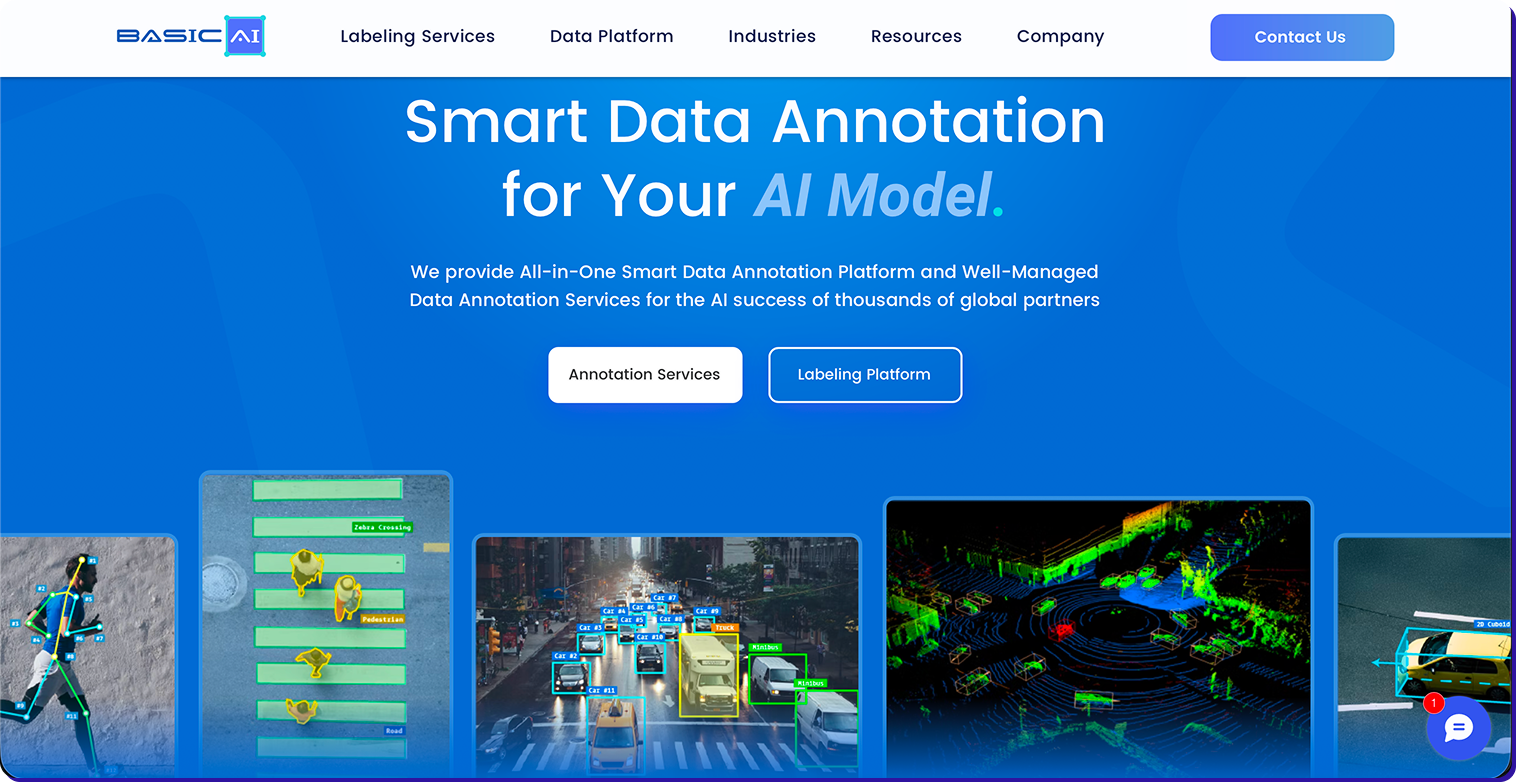
Basic.ai is built around multi-modal video annotation and scalability, with a clean interface and AI-assist features designed to reduce manual effort across high-volume LiDAR and video datasets. It's positioned for teams running serious sensor fusion annotation workloads who want a platform that handles both video and point cloud data without significant custom integration work.
What it does well:- Multi-modal video annotation support — handles synchronized video, LiDAR point clouds, radar, and GPS data streams; designed for the sensor fusion video annotation workflows that AV perception models depend on
- AI-assisted video labeling — automated pre-labeling and cross-frame tracking reduce manual workload on structured video scenarios; interface is optimized to minimize annotator friction on high-volume video projects
- Scalability for large video datasets — architecture built for production-scale video annotation volumes; performance holds better than general-purpose platforms adapted for AV use cases after the fact.
What to watch for: G2 reviewers note that prior knowledge is often required to use Basic.ai effectively, it's not beginner-friendly, and documentation is primarily in English. Reviewers also flag that image detection and tracking features could be improved for teams running lower-end hardware configurations.
Best for: Basic.ai is best for AV teams annotating high-volume LiDAR and video datasets who want a scalable, purpose-built platform with solid multi-modal support and a lower configuration barrier than enterprise-tier alternatives.
Not ideal for: Organizations that require a deeply mature enterprise ecosystem with extensive third-party integrations and long-term vendor stability guarantees, or teams new to annotation workflows that need strong onboarding support and multilingual documentation.
Reading a tool list is the easy part. The harder part is knowing which one to actually move forward with, and why. Here's how to cut through it.
How to Choose the Right Video Annotation Platform
The tool with the most checkmarks isn't always the right choice. The right platform is the one that matches your team's specific constraints: annotation type, data volume, workforce availability, and how much operational overhead you're willing to own.
Step 1: Lock Down Your Annotation Requirements First
Before evaluating any platform, be clear on what you actually need to annotate. If your pipeline requires LiDAR point clouds, 3D bounding boxes, or camera-LiDAR fusion, several tools are off the table immediately. If you need adverse condition coverage, edge case flagging, and behavioural sequence labeling, you're looking at a much shorter list than most roundups suggest.
Don't evaluate features you don't need. Evaluate whether the tool handles the specific annotation types your perception model depends on.
Step 2: Match Your Team Profile to the Right Tier

Step 3: Apply the Decision Matrix

The Question That Cuts Through Everything
Do you need a tool or a partner?
A tool gives you a platform. You own the annotators, the QA process, the workforce management, and the domain expertise. That works if all of those things exist in-house.
Most AV teams don't have all of those things. The core competency is building the perception model, not operating the annotation pipeline that feeds it.
That's where Taskmonk sits differently from every other option on this list. It's the only platform that combines purpose-built AV annotation tooling with a managed human workforce and structured QA infrastructure — so your team focuses on model development while Taskmonk handles the data operations end to end.
If annotation quality is a safety requirement and not just a data hygiene metric, that distinction matters more than any feature comparison.
Conclusion
Your perception model is only as good as the data it was trained on. That's not a caveat, it's the constraint everything else runs on.
The right tool comes down to one honest assessment: what does your team actually own in-house? If you have annotators, QA workflows, and the bandwidth to manage them, a strong platform like Encord or CVAT gets you there. If you don't, you need more than software.
That's the gap Taskmonk closes. Platform, workforce, and QA infrastructure built for AV scale, running as a single data pipeline so your team stays focused on the model, not the labelling operation behind it.
Bad training data doesn't announce itself. It shows up later — in model failures, in reprocessing cycles, in incidents that trace back to a label that was wrong at frame one. Don't let annotation be the bottleneck that slows everything downstream.

FAQs