


Video Annotation for Computer Vision: Complete Guide for 2026
Introduction
Computer vision has moved beyond lab demos into real production systems. It now drives cars, flags defects on factory lines, watches over intersections, and assists clinicians in the OR and in radiology suites.
All of these use cases share a commonality: they involve change over time. Objects move, interact, appear, and vanish.
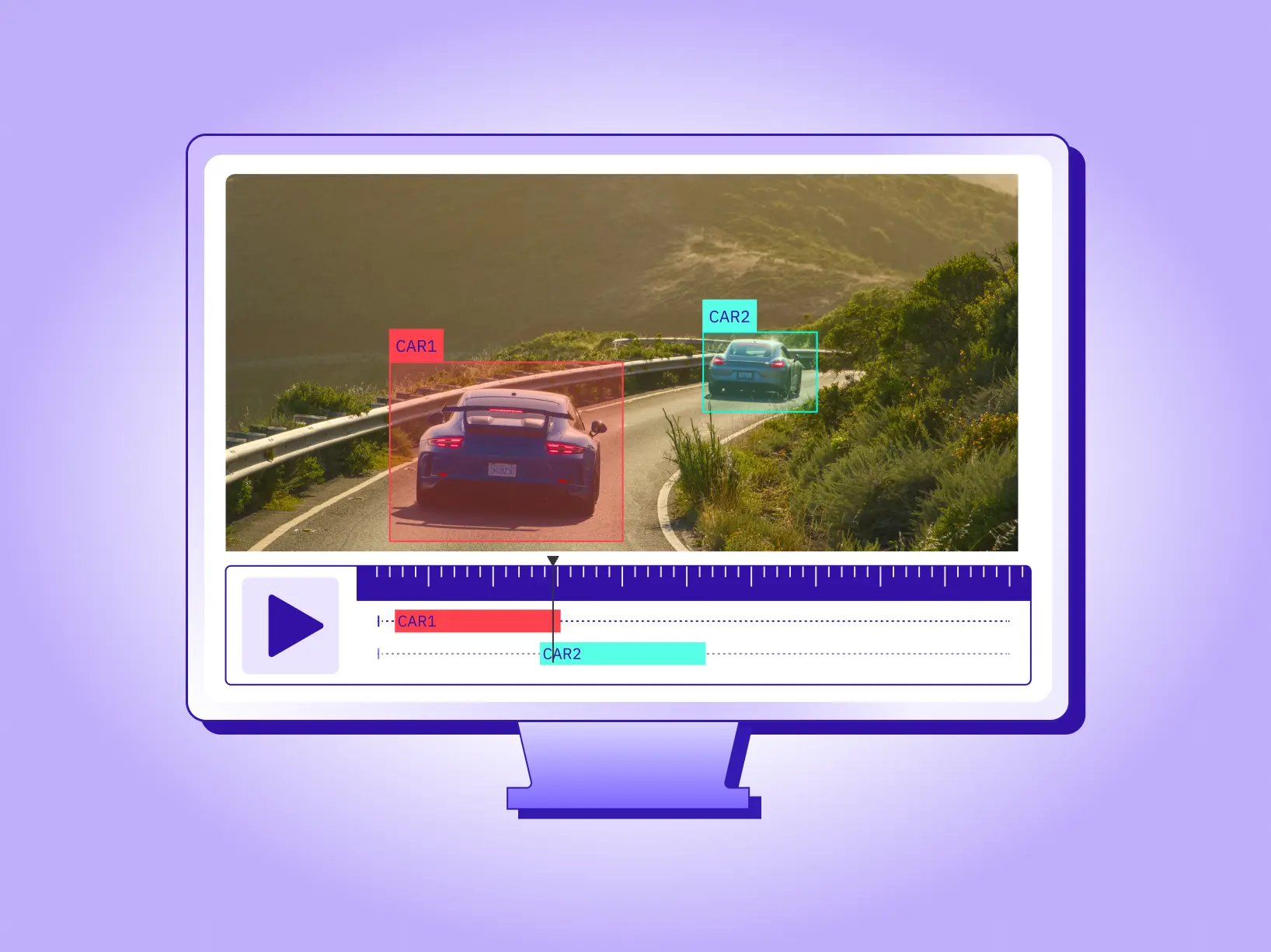
Video annotation for computer vision encodes that story: where things are per frame (spatial labels) and how identities and events persist across frames (temporal structure).
But annotating a video is also operationally more complex than annotating images. A single minute at
30 fps yields ~1,800 frames, so teams must plan for interpolation, tracking assists, consistent ontologies, and sequence-aware QA to convert footage into reliable training signal.
Why now?
As real-world systems shift toward continuous perception- ADAS, surgical video, anomaly detection, retail analytics—model reliability depends less on the architecture and more on the quality of your video dataset labeling. If your labels can’t follow the timeline, your model won’t either.
If your labels don’t understand the timeline, your model can’t either. As real-world systems shift toward continuous perception—ADAS, surgical video, anomaly detection, retail analytics—model reliability depends less on the architecture and more on the quality of your video dataset labeling. If your labels don’t understand the timeline, your model can’t either.
This guide covers everything you need to create high-quality training data for computer vision: annotation types, use cases, temporal annotation methods, QA metrics, tooling requirements, and practical steps to annotate long videos at scale.
What is AI Video Annotation
AI Video annotation is the process of labeling specific objects, regions, and events in a video across consecutive frames so a model can learn from both spatial features and temporal dynamics.
It sits at the core of modern video-based ML models, enabling use cases like multi-object tracking, action recognition, event detection, and temporal segmentation.
Practically, high-quality video dataset labeling includes:
- Spatial labels: bounding boxes, polygons, masks, keypoints/skeletons, and 3D cuboids.
- Temporal structure: persistent track IDs, event/timestamp tags (start/stop),frame-by-frame annotation, shot change handling, and occlusion notes.
- Ontology & policy: a versioned taxonomy (classes, attributes, relationships) and written guidelines to drive consistency.
- Workflow controls: pre-labeling, human-in-the-loop video tagging, consensus/adjudication, and sequence-aware QA.
To summarize, Video annotation for machine learning is the process of attaching structured labels(like objects, actions, and timestamps) to each frame in a video so computer vision models can learn how things move, interact, and change over time, not just what they look like in a single image.
Video Annotation vs. Image Annotation
Annotating a single image is like taking a photograph: you mark what exists in that moment. Annotating a video is like labeling a story: you mark how things appear, move, interact, and disappear.
Key differences in image annotation vs video annotation:
Because of this, video annotation tools differ from image tools: they emphasize timeline navigation, tracking, interpolation, and long-clip stability in addition to drawing tools.
Advantages of Video Annotation
By labeling objects and events across consecutive frames, models understand motion, identity persistence, and timing, which are essential for tracking, action recognition, and incident detection.
Video annotation is, at its core, labeling a sequence of images, but the value comes from treating them as a coherent video rather than isolated frames. This preserves temporal context and lets models learn how the scene evolves.
Additionally, many data annotation tools offer additional features that make working with videos more convenient.
Although video annotation is more time-consuming than image annotation, a purpose-built video annotation platform provides interpolation, tracking, and workflow automation that dramatically increase throughput while preserving accuracy.
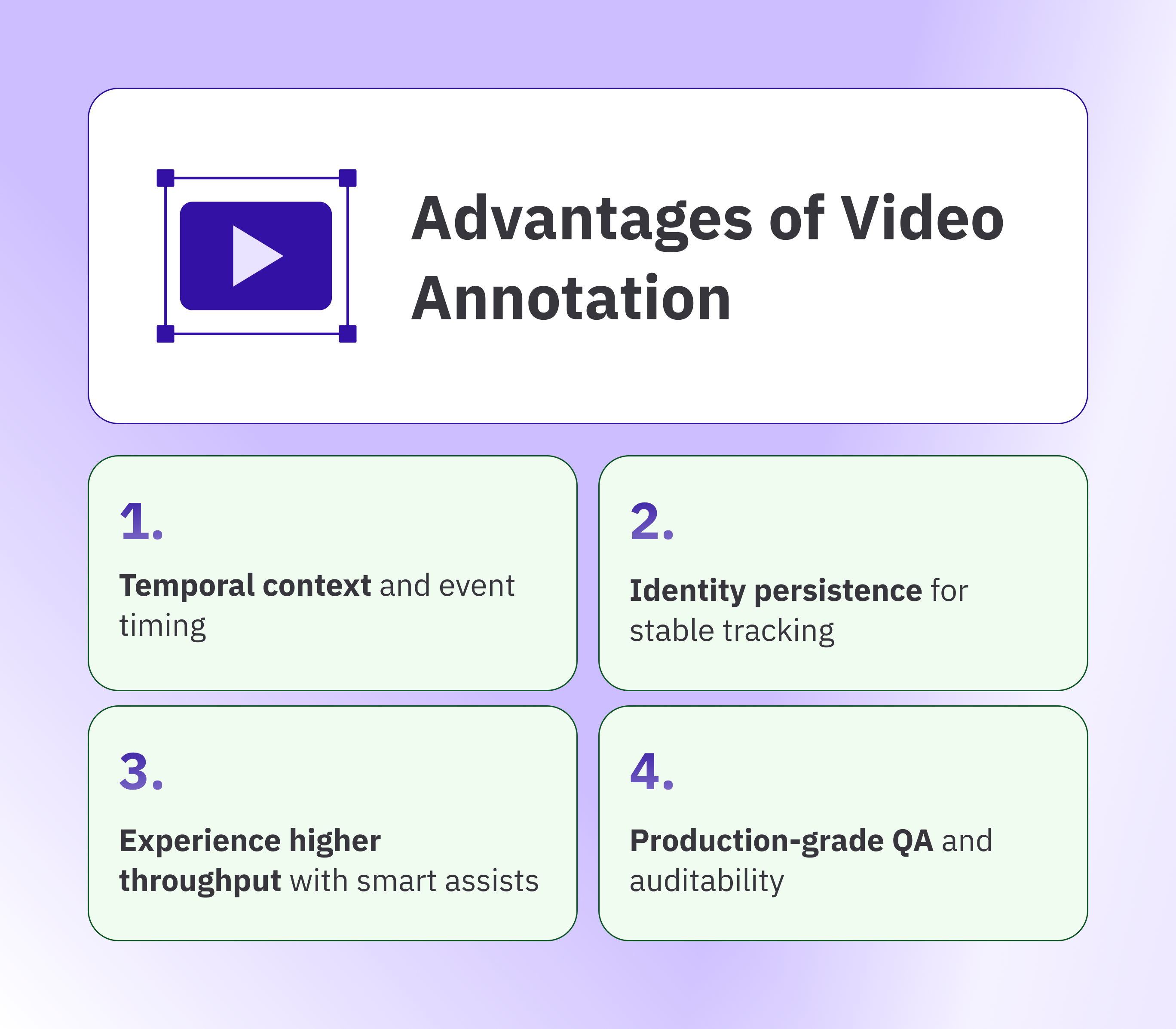
- Temporal context and event timing: Annotating full video sequences enables models to learn about motion, causality, and the exact timing of events. This directly improves tracking, action recognition, and incident detection.
- Identity persistence for stable tracking: Assigning consistent track IDs across frames reduces identity switches and fragmented tracks. As a result, metrics such as IDF1 and MOTA improve, and false alerts decline.
- Experience higher throughput with smart assists: Keyframes, interpolation, and tracker-assisted propagation seamlessly carry labels across frames. Annotators spend less time correcting drift and more time drawing, accelerating projects while maintaining accuracy.
- Production-grade QA and auditability: Sequence-aware guidelines, reviewer queues, and versioned exports create measurable quality thresholds and clean audit trails. Teams maintain consistency as datasets and use cases scale.
Video Annotation Use Cases for Computer Vision
Video annotation powers computer vision models that must understand change over time. From lane and actor tracking in autonomous vehicles to defect detection on factory lines and triage in emergency operations, sequence-level labels teach models motion, identity, and event timing.
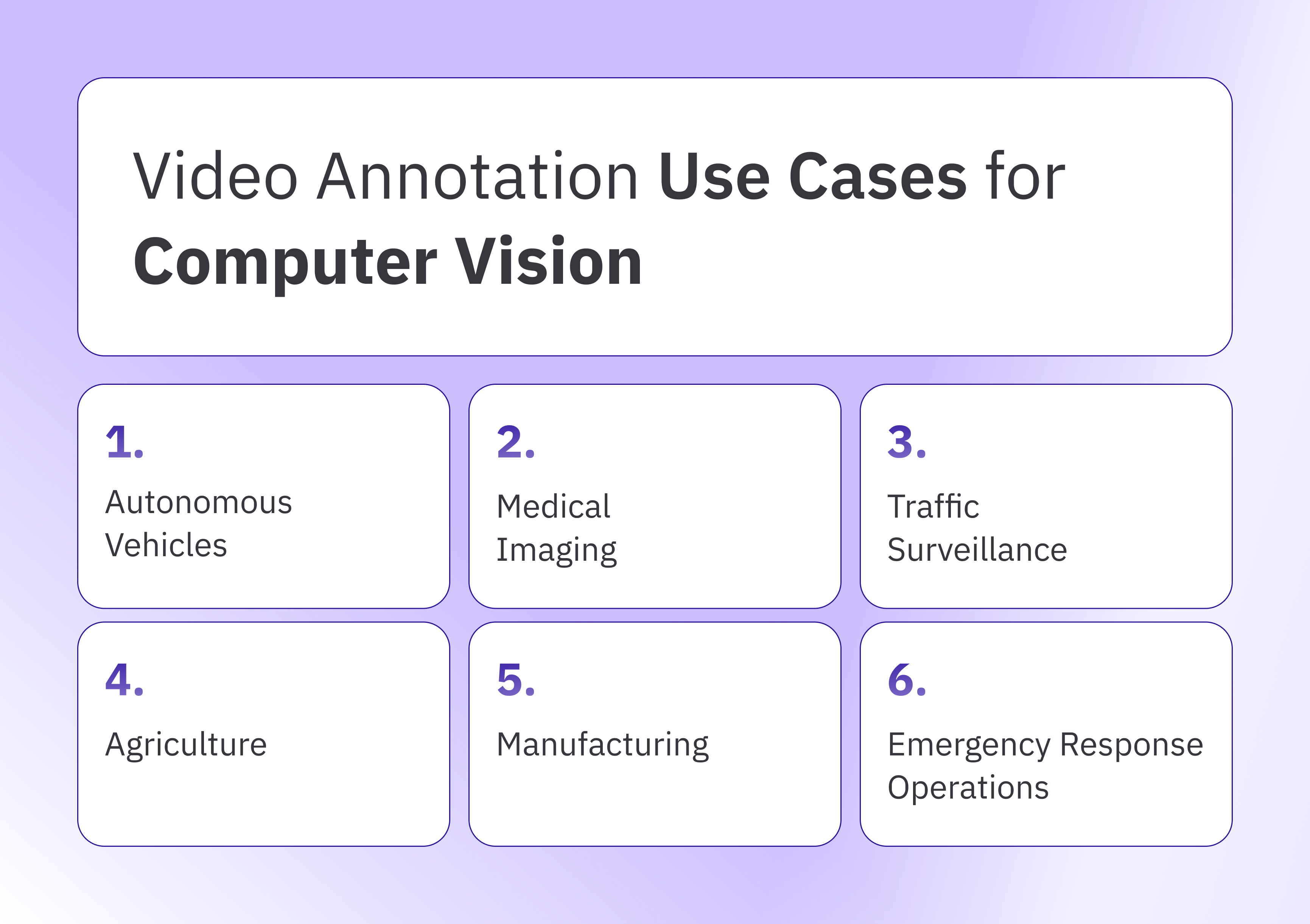
Let’s briefly discuss how video annotation helps in real-world applications of computer vision.
- Autonomous vehicles
Autonomous driving datasets are inherently multimodal, combining camera video with LiDAR and radar. Within this mix, labeled video remains central because it captures motion patterns, interactions, and long-range cues essential for multi-object tracking and sensor fusion.
Sequences describe how road users enter, move, and yield; they preserve identities across occlusion; and they timestamp critical events for downstream planning.
Typical labels include lanes and drivable space, traffic signs and lights, vehicles of all classes, pedestrians, cyclists, and other vulnerable road users. Consistent track IDs tie these elements together across frames, while attributes such as weather, lighting, and scene type provide the context models need to generalize from test loops to open roads. Track IDs create coherent video-based training data for perception, planning, and evaluation loops.
Taskmonk supports long-clip AV workflows with frame-accurate stepping, tracker-assisted propagation, and sequence-level QA. Perception teams use Taskmonk to maintain identity consistency across occlusions and evaluate drift using metrics like IDF1 and MOTA without manually correcting every frame. - Medical imaging
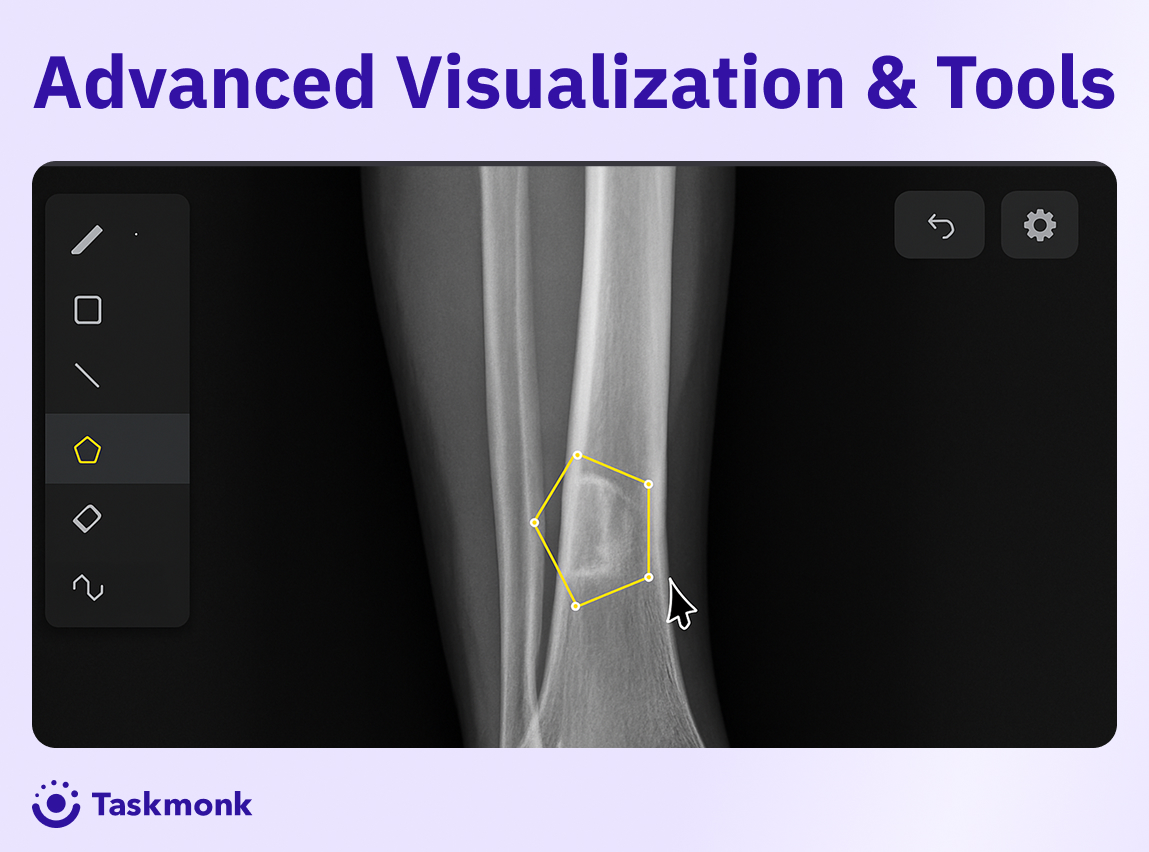
Clinical video spans endoscopy, laparoscopy, ultrasound, microscopy, and surgical robotics. In these contexts, annotation focuses on regions of interest, instruments, anatomy, and pathological findings across time.
Additionally, pixel-accurate masks capture lesion boundaries, while tool tips and shafts are tracked to study contact, dwell time, and motion patterns.
In radiology, images and cine loops are often stored in DICOM, so annotations should map to study and timing metadata.
To use medical imaging data for diagnosis with ML models, one needs to annotate the data.
For example, in endoscopy, this annotation process requires doctors to review videos to detect abnormalities.
The video annotation process assigns temporal tags to clinical data to specify procedural phases, complications, and critical events. These tags facilitate workflow analysis and decision support. Ontologies, applied during annotation, use clinical vocabularies and define inclusion and exclusion rules to improve clarity and reduce ambiguity.
Ultimately, the result is training data that improves detection quality and reduces false alarms in sensitive settings.
Taskmonk offers DICOM-aware video annotation with PHI-protected workflows, metadata mapping, reviewer permissions, and audit trails. Clinical teams use these capabilities to maintain compliance while producing reproducible training data for medical video AI models.
- Manufacturing
Production environments generate video data from lines, cells, and test benches. Training a visual inspection system on annotated video delivers more precise quality checks.
Video Annotation focuses on parts, assemblies, tools, operator hands, and defect classes as items progress through stations. Sequences preserve the identity of each unit, so systems can relate upstream actions to downstream outcomes.
Event tags capture misalignment, missing components, stoppages, and rework triggers. Segmentation helps with reflective surfaces and small flaws, while keypoints on tools support analysis of motion patterns and dwell times.
Linking labels to station IDs, timestamps, and error codes enables closed-loop quality analysis with MES or SCADA data.
Annotating predictable, repeated motions once and interpolating across frames reduces annotation time, which is critical when line speed is measured in units per second.
For instance, Taskmonk’s interpolation and tracking workflows reduce annotation time for repeated, predictable motions common in industrial lines. Its reviewer routing and versioning help quality teams maintain consistency—even when non-expert annotators handle large datasets. - Agriculture & Environmental Monitoring
Agricultural AI uses video from drones, rovers, and fixed cameras to monitor crops, livestock, soil conditions, and growth patterns. Field operations record video using drones, rovers, and fixed cameras. Annotators label crops, fruits, weeds, machinery, livestock, and soil or canopy conditions across time. Sequences document growth stages, flowering, pest activity, and stress events with timestamps, so models learn patterns rather than isolated appearances.
Properly annotated datasets can improve agricultural yields. Farmers, challenged by manually monitoring acres of land and crops, leverage AI to optimize land use, combat pests, fertilize crops, and more.
Segmentation supports canopy and row detection, while instance labels on fruits or ears enable counting and yield estimation.
Scene metadata for weather, illumination, and field location improves generalization across seasons. - Retail, Security & Surveillance Video
Retail and security systems rely heavily on long-duration CCTV or multi-camera feeds. Annotation tasks include:
- Person tracking across cameras
- Shopper flow and behavior analysis
- Anomaly detection (falls, theft, loitering)
- Occupancy and heatmap metrics
- Privacy masking/redaction
These are low-frequency event datasets, where 99% of the footage contains normal behavior. Temporal annotation helps models distinguish background patterns from meaningful anomalies.
Taskmonk handles long-duration video efficiently, providing annotators with timeline navigation, event tagging, and frame batching so security teams can label rare incidents without scrubbing through hours of unused footage. - Traffic, Surveillance & Traffic Safety
Roadside, intersection, and aerial cameras generate continuous streams for safety and planning. Video annotation in this case focuses on vehicles, pedestrians, cyclists, lane occupancy, turn movements, near misses, and incidents.
Sequences maintain identity through occlusion and congestion, allowing models to accurately measure speeds, headways, and conflict points. Event tags capture red-light violations, illegal turns, stalled vehicles, and the onset of congestion.
For license plate workflows, region-of-interest labels support recognition while respecting privacy policies and retention rules.
Segmentation of drivable space and crosswalks improves scene understanding during rain, glare, or night conditions.
With consistent sequence labeling, agencies reduce false alarms, prioritize responses, and produce analytics that guide signal timing, enforcement, and infrastructure design. - Emergency Response Operations
During large-scale emergencies, every second counts. Rapid, precise decisions are critical to save lives and protect property. Video annotation accelerates computer vision workflows that drive search, triage, and situational awareness.
Building on these capabilities, drones, helicopters, and fixed cameras stream footage of fires, floods, landslides, and damaged infrastructure. Annotators outline fire fronts and flood extents with segmentation, mark blocked roads and safe corridors with polygons, and track responders and civilians with persistent IDs across time.
Additionally, when available, geotags and timestamps link labels to maps for rapid route planning and perimeter updates.
Types of Video Annotations
Different use cases call for different labels. In production datasets, you typically combine several of the following to enable models to learn both spatial detail and temporal structure.
Different use cases call for different labels. In production datasets, you typically combine several of the following to enable models to learn both spatial detail and temporal structure.
Bounding boxes
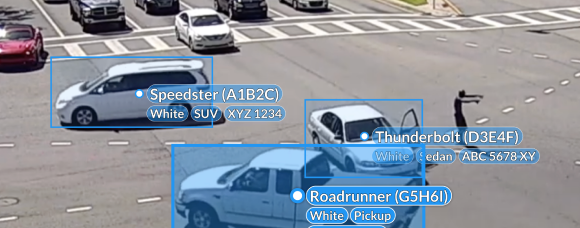
Bounding box annotation uses rectangular regions that enclose an object per frame. They are fast to create, inexpensive to review, and widely supported across video dataset labeling workflows. In the video, boxes carry persistent track IDs, so models learn identity despite occlusion, scale changes, and motion.
They provide strong baselines for detection and multi-object tracking, although they may underfit objects with irregular contours or fine boundaries.
Polygons
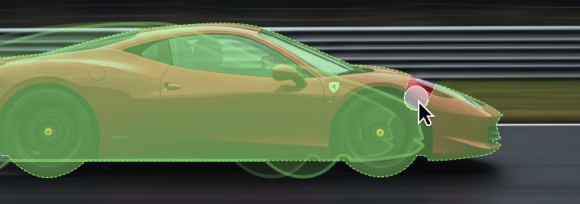
These are multi-vertex shapes that follow an object’s true outline. Polygons capture irregular silhouettes and partial occlusions more faithfully than boxes, which improves spatial precision for thin, angled, or deformable objects. In the video, polygon sequences capture shape changes over time and help models learn about interactions, collisions, and contact events. They cost more to label than boxes, but reduce downstream ambiguity and rework.
Polylines
Open or closed lines for elongated structures and boundaries, such as lane markings, cables, cracks, surgical sutures, and shorelines. In the video, polylines preserve topology across frames and mark merges, splits, and continuity breaks with timestamps.
They are useful for path planning and for measuring curvature, offset, and drift. When paired with masks or boxes, they add geometric context without heavy per-pixel labeling.
Keypoints and skeletons
Discrete landmarks are placed on objects or anatomy, optionally connected into skeletons. Keypoint annotation captures pose, articulation, and fine-grained dynamics that boxes or masks cannot convey. In the video, temporal sequences of keypoints quantify gait, joint angles, tool-tip motion, and hand-object interactions with precise timing.
This signal drives action recognition, ergonomic analysis, sports tracking, and understanding of the surgical phase.
3D cuboids
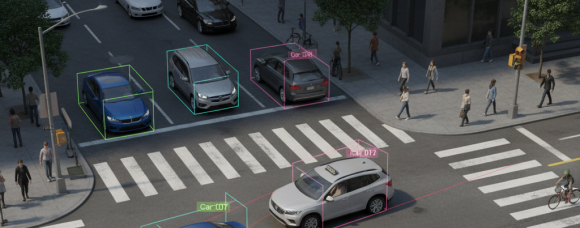
Depth-aware boxes that estimate an object’s size, orientation, and position in three dimensions.
In autonomous driving and robotics, 3D cuboids are aligned across frames with consistent IDs and often linked to LiDAR or multi-view imagery.
They support bird’s-eye-view reasoning, collision prediction, and accurate distance estimation under occlusion. Reliable results depend on calibration quality and synchronized sensors.
How to Annotate a Video for Computer Vision Model Training
Accurate video datasets come from a clear project plan, accurate workflows, and the right video annotation tool.
For best results on video annotation projects, our team recommends: Plan the ontology and QA rules up front, use assists like tracking and interpolation to scale, and close the loop with review, metrics, and versioning.
See here the detailed steps for video annotation on the Taskmonk platform
Tools & Platform Checklist
Taskmonk combines expert-grade video annotation tooling with end-to-end workflow management, including tracking, event timelines, reviewer queues, audit trails, and ontology versioning, so teams can scale video datasets without losing accuracy.
Best Practices for Video Annotation
Strong video datasets start with clear rules, clean footage, and repeatable workflows. Set up the guardrails first, then scale with assists and tight QA. Use this checklist to keep accuracy high and rework low.
Conclusion
Video annotation is ultimately about giving computer vision models something images alone can’t: temporal understanding.
When your use case depends on motion, identity continuity, or event timing, high-quality video labels become the foundation for real-world model reliability.
Building that foundation comes from disciplined execution:
curating representative footage, defining a precise ontology, using keyframes and interpolation deliberately, and validating quality with sequence-aware metrics like IoU, IDF1, and MOTA.
Teams that follow this workflow produce training data that scales across healthcare, autonomous driving, manufacturing, retail, public safety, and more.
Taskmonk is built specifically for the demands of video dataset labeling: long-clip stability, identity-aware tracking, keyframe interpolation, complex ontology support, and reviewer-driven QA workflows. These capabilities help teams convert raw footage into accurate, audit-ready ground truth at scale.
For teams that need execution support as well, Taskmonk also provides specialized annotation services for video, DICOM, AV perception, manufacturing QA, and long-duration surveillance. Our services teams use the same workflow engine and QA processes as platform users, ensuring consistent, high-quality labeling whether projects are handled in-house or fully managed.
If your team is working with large or complex video datasets—and needs a platform designed for temporal annotation, multi-object tracking, and reproducible QA.
Get in touch with Taskmonk for a tailored walkthrough.
Bring your own footage, and our team will show you how to scale high-quality video annotation with both platform capabilities and optional expert services.
FAQs


.png)
