


.png)
TL;DR
If youare selecting an image annotation platform in 2026, prioritize workflow fit and quality control over the editor's visual appeal.
The best tools make it easy to standardize image labeling rules, run reviews without chaos, and export clean data into your training pipeline
Tools covered in this blog:
- Taskmonk
- SuperAnnotate
- V7 Darwin
- Labelbox
- Encord
Introduction
Image annotation looks simple on paper: label a few thousand images, train a model, move on.
In practice, it stops being “simple” in production when segmentation masks and fine polygons get slow, boundaries get ambiguous, long-tail classes and spec drift break consistency, and quality control at scale becomes the real job.
A good image annotation tool helps you stay ahead of that mess.
In this blog, we are going to discuss the 5 best image annotation tools to consider for computer vision projects.
How did we curate this list?
We shortlisted platforms based on:
- Core image annotation coverage (boxes, polygons, segmentation, keypoints)
- AI-assisted labeling and automation maturity
- Quality assurance and review workflows
- Integration and export flexibility for ML pipelines
- Signals from public reviews (e.g., G2 feature feedback)
- Fit for production-scale annotation
What is an Image Annotation tool? What does it do?
An image annotation tool is software that helps you label images and the objects, regions, or pixels inside them, so ML models can learn patterns. It lets image data annotation teams create structured labels like classification tags, bounding boxes, polygons, keypoints, and segmentation masks, and it keeps those labels tied to the source images in a consistent format.
Beyond drawing annotations, a good image annotation platform also manages the messy parts: assigning tasks to data labelers, enforcing guidelines, running review and QA, tracking disagreement and rework, and exporting labels in formats that fit training pipelines.
5 Best Image Annotation Platforms
-
Taskmonk
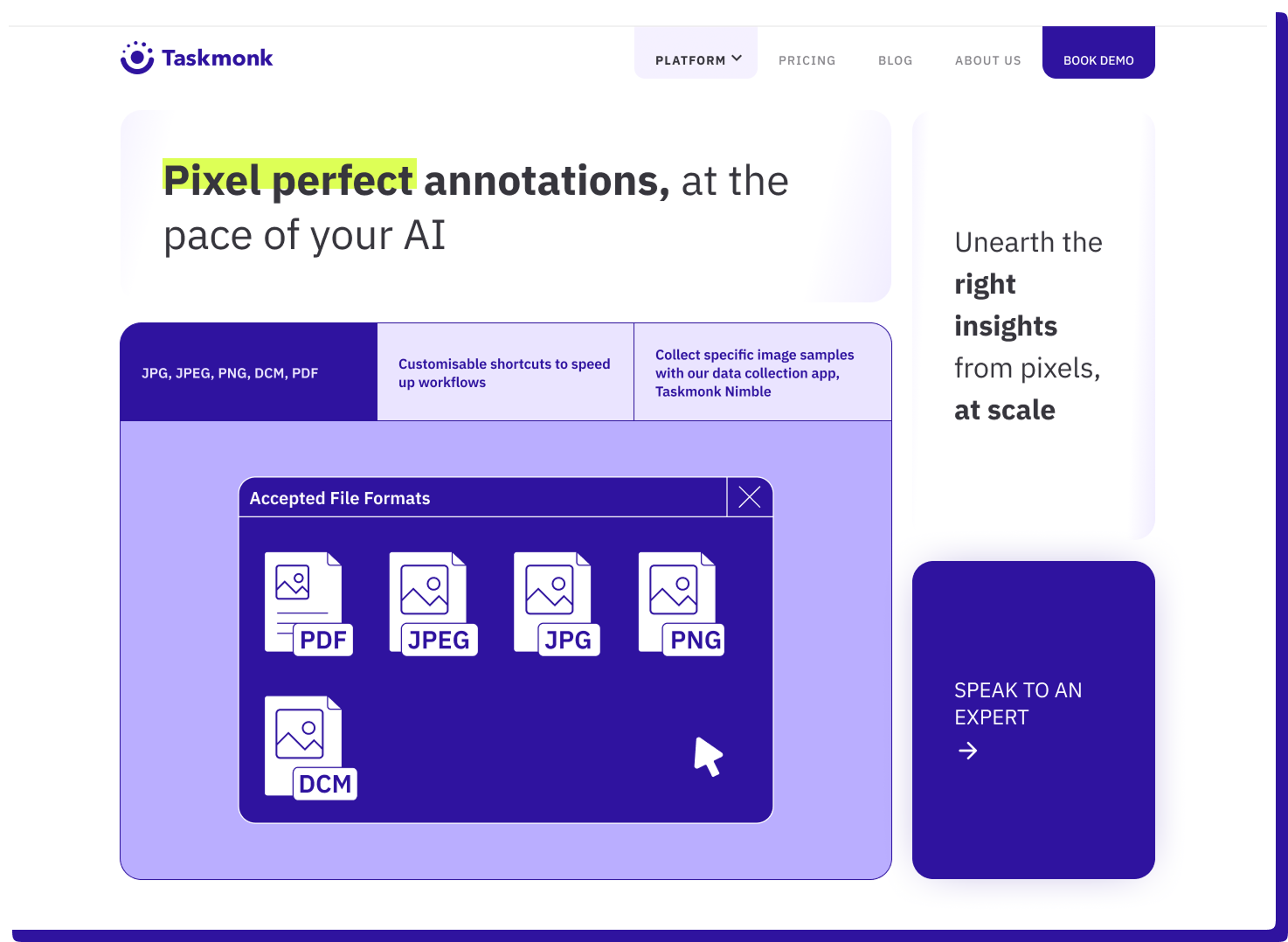
Taskmonk is an image annotation platform built for production labeling programs where consistency & data quality matter more than a slick editor. It pairs image workflows with AI-assisted annotation primitives like Magic Wand, Super Pixel, and single-click object detection, plus structured custom QA workflows you can apply per project.
On G2, Taskmonk is rated 4.6/5, and reviewers often mention quick onboarding, easy usability for large annotation teams, and quality controls that do not slow throughput.
Why Taskmonk stands out for image annotation
- AI assists that save time on masks: Magic Wand and Super Pixel help create segments faster when boundaries are driven by color and pixel similarity.
- Fast seeding for object work: Single-click object detection helps bootstrap an object annotation with minimal effort.
- QA workflows & custom levels you can enforce: Maker-Checker, Maker-Editor, and Majority Vote are documented execution methods, plus you can add/edit execution levels and define task routing rules between them.
- Parallel labeling when you need confidence: Majority Vote supports multiple analysts labeling the same item to reduce subjectivity.
- Quality signals reflected in user feedback: G2 feature feedback highlights task quality, data quality, and labeler quality signals based on reviewer input.
- Operational ramp is a known strength: Reviews call out being “operational within days” and praise QC without slowing work.
Best for
Teams running ongoing image annotation for object detection and segmentation where you need repeatable QA, reviewer workflows, and predictable throughput across multiple labelers.
Not ideal for
Teams that only need a lightweight, single-user labeling tool with almost no setup. Also not ideal if you want a minimal UI from day one, since some reviewers note the interface can feel dense initially. -
SuperAnnotate
SuperAnnotate is an image annotation platform focused on fast labeling with a structured QA layer and workflow controls. It supports a wide set of image tools (boxes, rotated boxes, polygons, polylines, points, ellipses, cuboids) and includes Magic Select, powered by Segment Anything, to speed up mask creation.
On G2, users often praise the UI and annotation speed, while common downsides include a learning curve for advanced features and occasional slowdowns on very large projects for some teams.
.png)
Why does it stand out for image annotation
- Segmentation helpers like Magic Select (SAM) reduce manual mask work on many datasets.
- Workflow controls such as custom statuses and role-based steps help formalize review and rework.
- QA automation features are positioned to catch issues earlier in the cycle, not only at final review.
- Export support for common formats like COCO and converters for formats like Pascal VOC and YOLO help downstream training compatibility.
Best for
Segmentation-heavy programs that can invest time in setup and training, and want structured review plus format flexibility.
Not ideal for
Teams that need a minimal tool with almost no onboarding, or teams that should re-test performance carefully on very large projects and unstable networks. -
V7
V7 Darwin is a computer vision training data platform positioned around AI-assisted labeling and workflow management. Public product docs highlight Auto-Annotate for pixel masks and support for tools like keypoints, brushes, polylines, polygons, and segmentation workflows, along with ML pre-labeling and automatic routing features called out in G2 feature feedback.
If you shortlist it, the practical question is how well its automation and review rules map to your label spec and edge cases, because the upside depends on good schema design and validation.
.png)
Why does it stand out for image annotation
- Auto-Annotate and AI-assisted mask tools are designed to speed up segmentation and irregular shapes.
- ML pre-labeling and automatic routing are highlighted in G2 feature feedback, useful for scaling workflows.
- AI Review supports custom validation rules for quality and consistency checks on annotation data.
- G2 users frequently mention annotation efficiency and automation of repetitive steps in pros and cons summaries.
Best for
Teams with segmentation-heavy CV work that want AI-assisted labeling plus rule-based review checks, and can invest in schema design.
Not ideal for
Teams seeking a plug-and-play annotation setup with minimal configuration. -
Labelbox
Labelbox is commonly shortlisted when teams want labeling plus model-centric workflows, including model-assisted labeling and evaluation patterns for GenAI. G2 highlights a clean, intuitive interface for annotating images and datasets, and the platform is rated 4.5/5.
As an alternative option, it tends to be most compelling when your workflow benefits from predictions in the loop and structured evaluation, rather than only optimizing for the deepest editor controls.
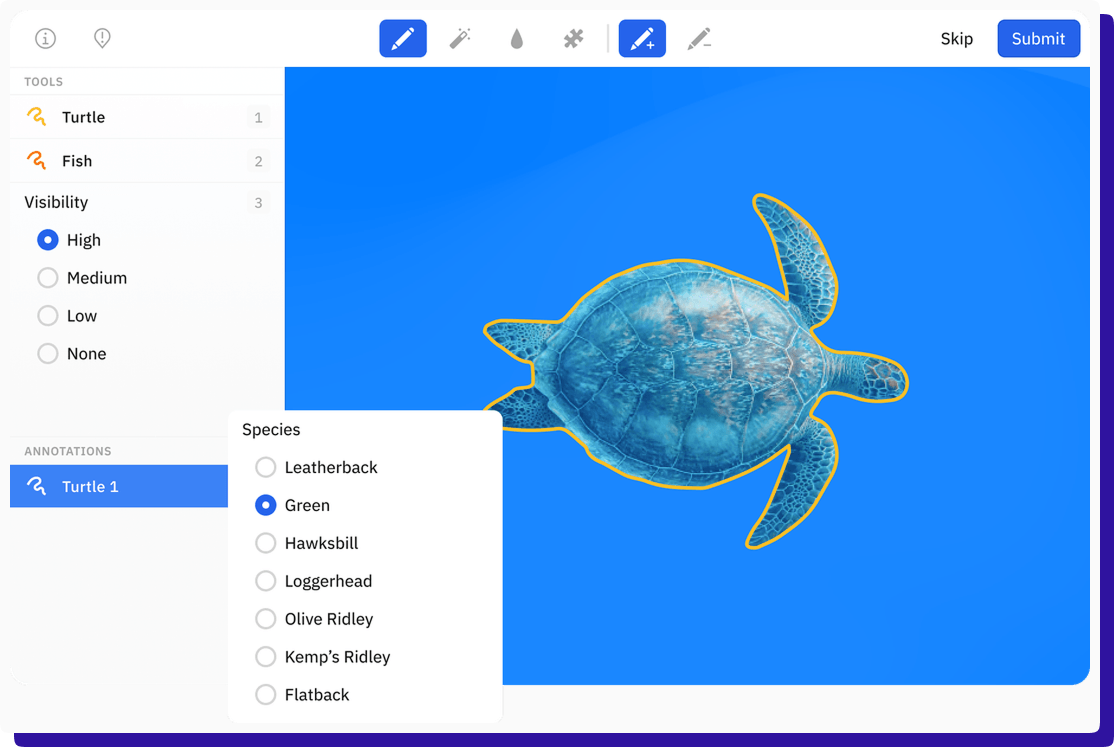
Why does it stand out for image annotation- Reviewers frequently call out a clean UI and collaboration for image and dataset work.
- Pre-labeling capability is explicitly rated in G2 feature feedback, indicating practical usage by teams.
Best for
Teams that want image labeling tied to model iteration and value an approachable interface for collaboration.
Not ideal for
Teams that primarily need deep, highly customized production workflows without validating pricing and workflow fit at scale first. -
Encord
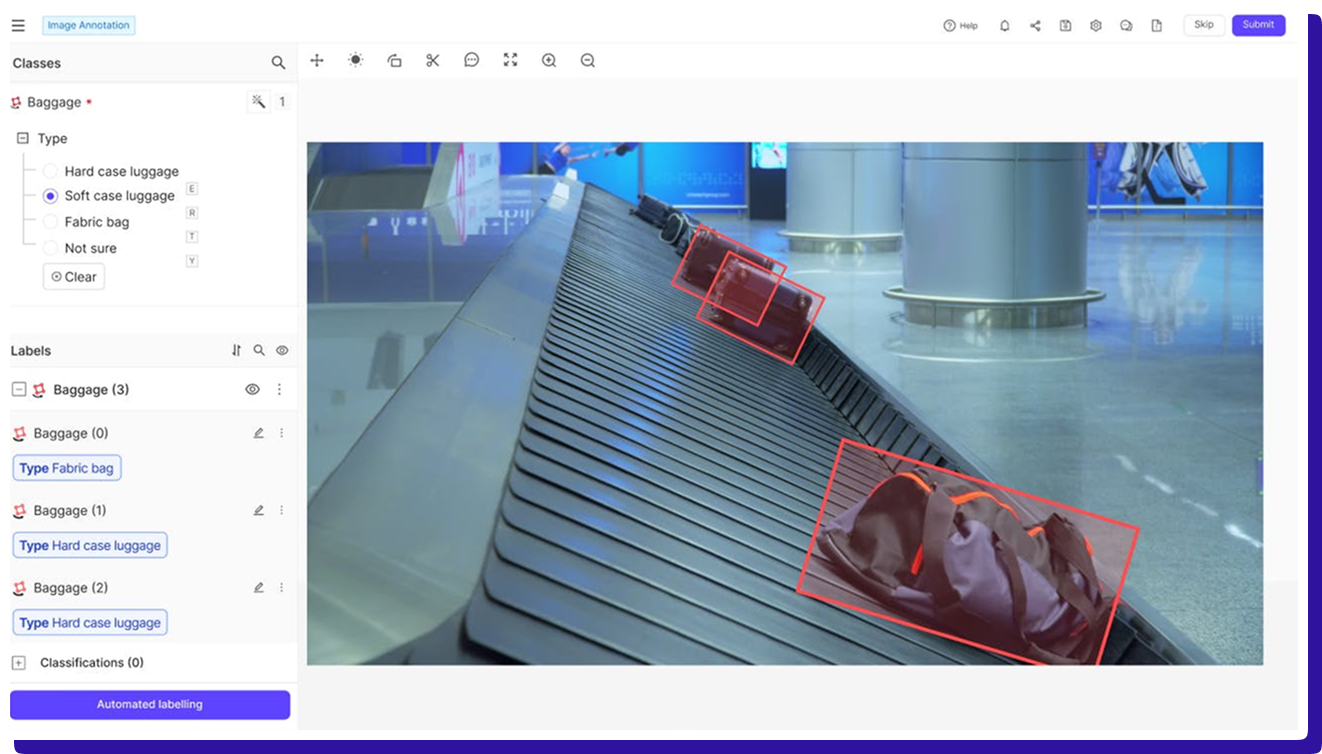
Encord is positioned as a multimodal data labeling tool with AI-assisted human-in-the-loop workflows for images, video, audio, text, and DICOM, and it is rated 4.8/5 on G2.
For image annotation specifically, public testimonials highlight using micro-models and object tracking to speed up labeling, but Encord is typically a better fit when you also care about curation and evaluation loops, so you should still pilot workflow setup effort, exports, and performance at your real volume.
Why does it stand out for image annotation
- AI-assisted workflows are central to the product positioning for labeling and review.
- Public user testimonials mention micro-models and object tracking, improving labeling pipelines.
- Strong G2 signals around task and data quality show up in comparison breakdowns.
Best for
Teams that want image annotation alongside broader data curation and evaluation workflows.
Not ideal for
Teams that only need a focused image annotation tool without multimodal complexity.
Other open source Image Annotation tools to consider
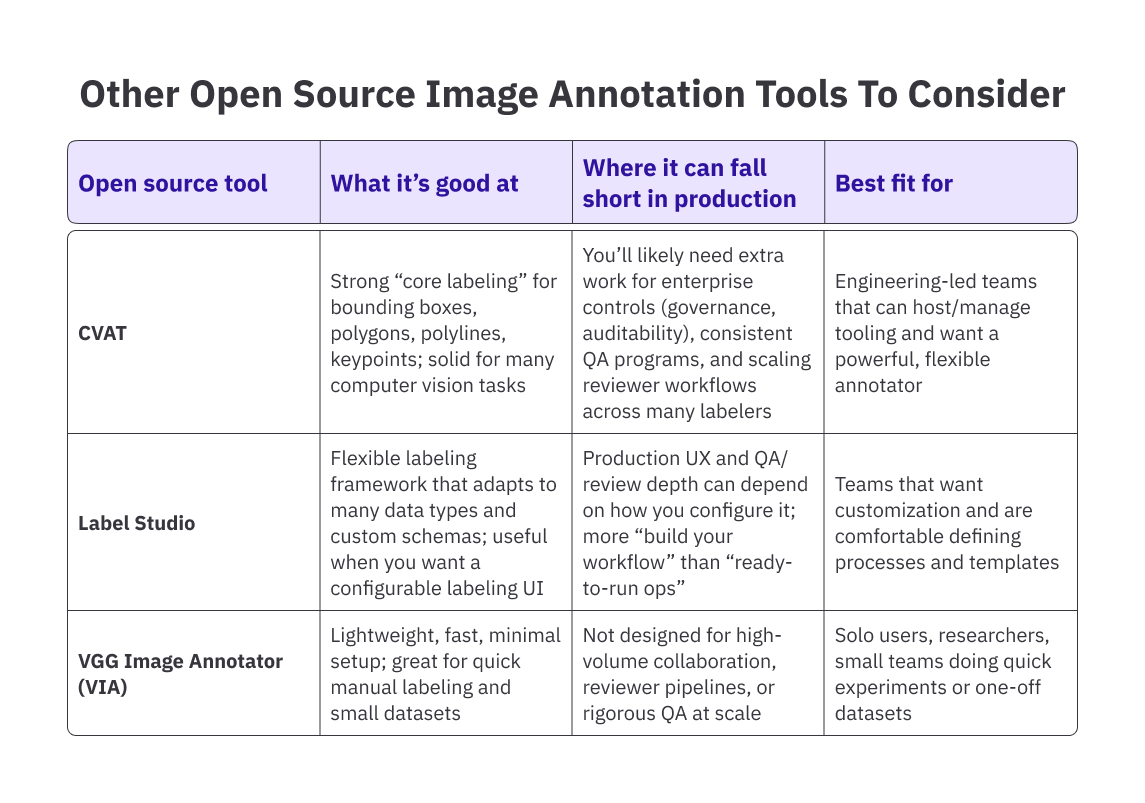
If you don’t need a full enterprise image annotation platform (workforce ops, QA programs, audit trails, etc.) and you’re okay owning deployment + process, these open source tools are worth shortlisting for pilots and internal labeling.
How to Choose an Image Annotation Platform (Checklist)
Conclusion
The “best” image annotation platform in 2026 isn’t the one with the longest feature list—it’s the one that stays fast and consistent when you scale. For most teams, the failure points aren’t drawing tools; they’re inconsistent labels, reviewer bottlenecks, unclear ownership, or messy exports that slow training pipelines.
The secret is to shortlist tools based on what will break first in your workflow: label consistency across annotators, review throughput, automation quality, export cleanliness into your training stack, and enterprise controls (SSO, RBAC, audit trails).
Platforms like SuperAnnotate, V7 Darwin, Labelbox, and Encord each solve different parts of the problem well. Some prioritize annotation speed and UI, others focus on AI-assisted pre-labeling, model-centric workflows, or multimodal data management.
Those strengths matter, but only if they align with how your team actually works in production.
Taskmonk is typically chosen when quality control, reviewer discipline, and delivery predictability are the primary risks. Its value isn’t in having the flashiest editor or the most automation, but in making annotation workflows repeatable and defensible across large teams and long-running programs.
Head: See how Taskmonk streamlines image annotation workflows
.png)
The right way to decide is to pilot platforms on your hardest dataset, with real label complexity and real review pressure. The platform that holds up under those conditions without manual workarounds is usually the right long-term choice.
FAQs


.png)
