


Quick answer:
The best document annotation tools for AI/ML in 2026 are TaskMonk, Labelbox, Kili, Label Studio, and Encord. For document AI, prioritize layout-aware labeling, OCR handling, entity/table extraction, and QA that holds up on long, messy documents.
TL;DR:
If you’re already comparing options for document annotation tools, this quick summary will help you get oriented faster.
It outlines where each tool performs well and where you might run into limitations.
If your program is running at production volume, or you're building QC infrastructure from scratch, keep reading. The decision criteria that matter most aren't visible in a feature checklist.
Introduction
Picture this: your ML team has been annotating documents for three months. The pipeline looks clean, the taxonomy is settled, and the first model checkpoint is showing decent precision numbers. Then someone pulls a sample of 200 labeled documents and finds that two annotators interpreted the same entity type differently for six weeks. Now you're looking at a rework queue, a delayed training run, and a conversation with model leadership about why the dataset isn't production-ready.
That scenario costs more than the rework hours. It costs the model launch timeline, the credibility of the annotation program, and in high-stakes document domains like healthcare or financial services, it can cost the compliance sign-off, too. The root cause is rarely the annotators. It's the tooling: platforms that look equivalent in a demo but handle quality control, OCR errors, and reviewer consistency very differently at volume.
This article compares the best document annotation software in 2026, evaluated specifically for AI and ML teams building training data programs.
The focus is on the decisions that actually affect model quality: workflow design, QC mechanisms and quality gates, document format handling, and how each platform holds up when volume increases and the straightforward cases run out.
Before comparing tools, it’s important to clarify what annotation software actually does—and why not all “annotation tools” serve the same purpose.
What is Annotation Software?
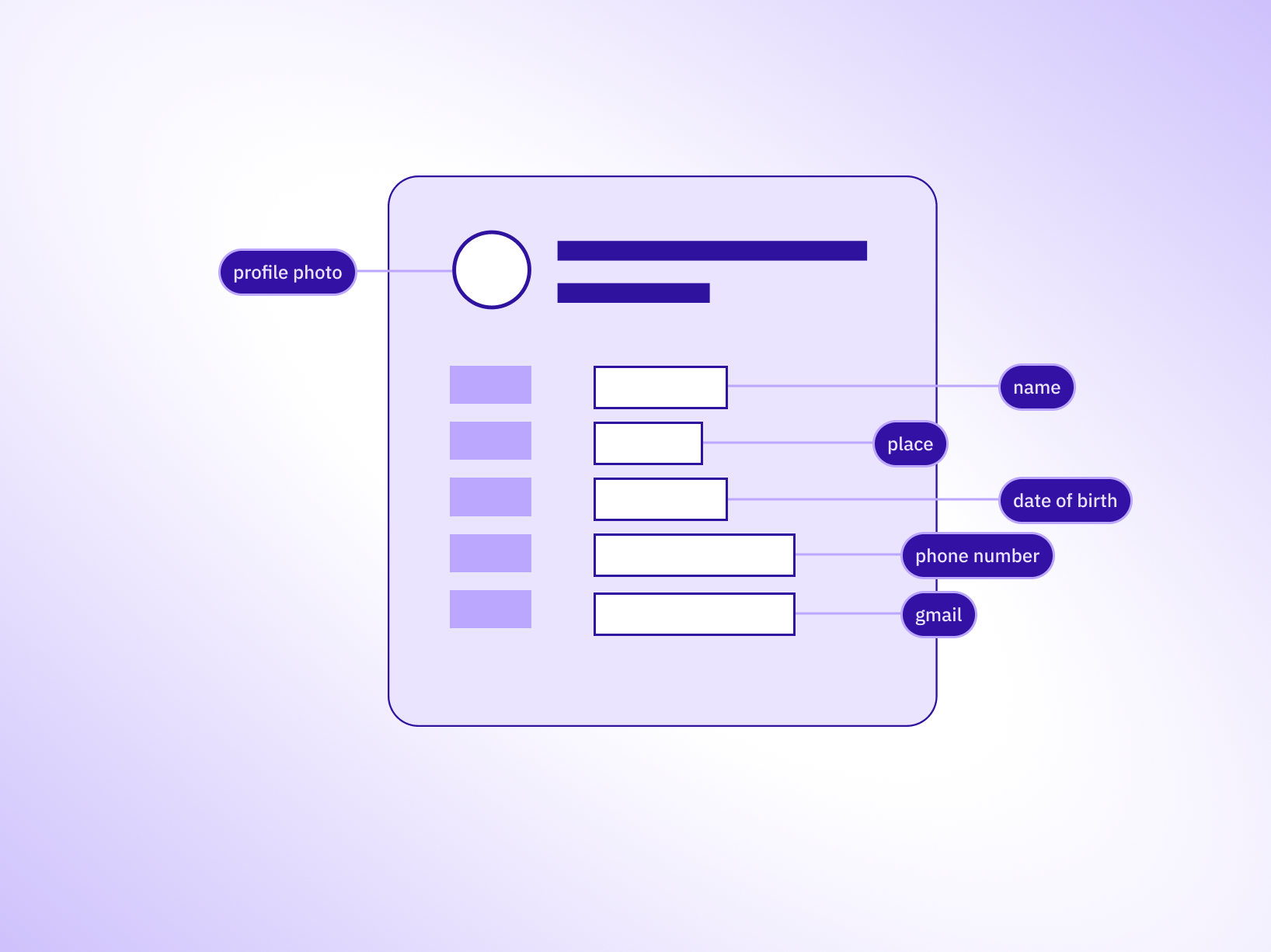
Annotation software is the platform layer between raw documents and labeled training data. Reviewers use it to apply structured tags, entity labels, classification categories, and relationship markers to text and document content, so that machine learning models have accurate ground truth to learn from.
For document-specific programs, that means handling PDFs, scanned forms, invoices, contracts, and multi-page files with mixed layouts.
A basic annotation tool lets annotators highlight text spans and apply tags. A production-grade document annotation software does considerably more:
That’s what annotation software is supposed to do in a production setting. But in practice, many tools labeled as “annotation” don’t operate at that level.
Documents piling up faster than you can label them?
See how TaskMonk runs OCR, extraction, and multi-stage QA in one document pipeline.

PDF markup tools vs. document annotation tools for AI: they are not in the same category
Search 'document annotation tool', and half the results are reviews of Adobe Acrobat, Foxit, Drawboard, and similar PDF markup applications. If you're an ML engineer building training data for a document classification or NER model, those tools will not do what you need. Not because they're poorly built. They're well-designed for their actual purpose. The problem is that their actual purpose has nothing to do with generating AI training data.
PDF markup tools are for human document review workflows: legal teams marking up contracts, designers giving creative feedback, and compliance officers approving submissions. They produce commented, annotated documents that other humans read and act on. The output is a marked-up file.
Document annotation tools for AI generate structured labeled datasets that models train on. The output isn't a marked-up file. It's a JSON or JSONL export of spans, tags, entity types, and classification labels with quality scores, reviewer metadata, and version tracking attached. A model can't learn from a PDF with yellow highlights. It needs structured ground truth.
The table below shows exactly where these two categories diverge, so you can stop wasting shortlist time on platforms built for a different buyer entirely.
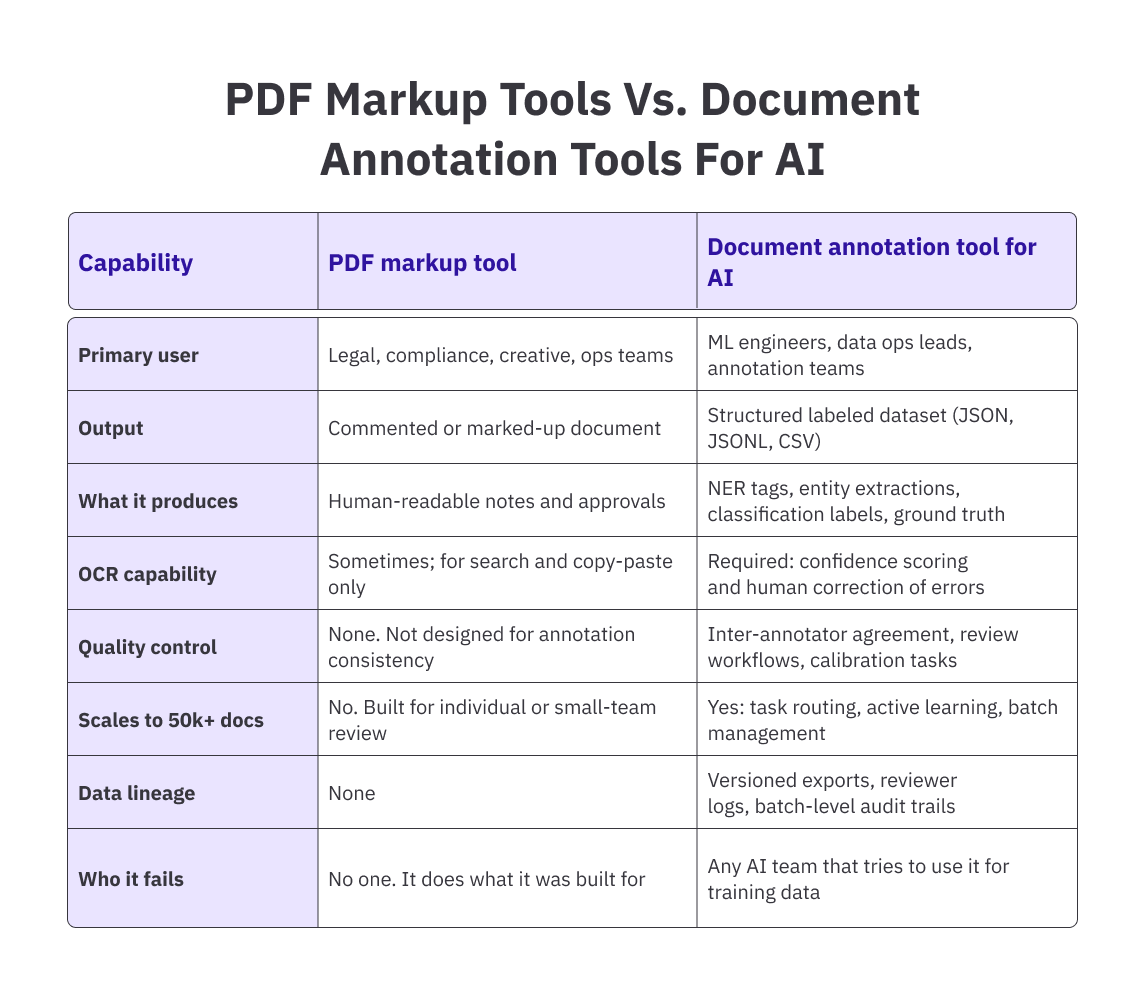
The practical consequence: if you run a document labeling program on a PDF markup tool, you get highlighted files you then have to manually extract, parse, and restructure before any of it is usable for training.
That conversion step introduces errors, destroys reproducibility, and makes consistent quality control impossible at scale. The right tool produces training-ready data directly, with lineage attached.
Pro tip: Before evaluating any document annotation tool, run your actual document samples through each platform's upload and OCR pipeline. A tool that handles clean, typed PDFs well may fall apart on scanned, low-resolution, or multi-column documents. Your real input distribution is the correct test, not the vendor's demo files.
With that difference in mind, we can now look at the tools that are designed for production-grade document annotation.
Best Annotation Tools for 2026
The five tools below cover different positions in the market. Each has a real use case where it performs well. The goal here isn't a ranked list. It's to give you enough specificity to match the right platform to your actual program requirements, and to be direct about where each tool hits its ceiling.
-
Taskmonk
.png)
Most annotation platforms were built for one modality first and retrofitted to support documents later. Taskmonk was built for enterprise annotation programs across modalities from the start, which means document workflows are native to the platform, not adapted from a computer vision or NLP foundation.
The platform handles PDF annotation, OCR extraction, named entity recognition, entity linking, table annotation, and document classification within a single workflow.
Annotators work with the document alongside the labeling interface. Every tagging decision is grounded in the source page rather than an extracted text field that may have lost formatting context. Reviewers see the extracted value and the source region together, which catches OCR misreads at review time instead of letting them become ground truth.
The QC architecture is where Taskmonk separates from most platforms. Document annotation programs involving sentiment analysis or conversational data.
Frankly, most production NER programs need more than a single review pass to get labels stable across annotators. Taskmonk supports three QC methods within the same platform:- Maker-Checker (one annotator labels, one reviewer approves or corrects)
- Maker-Editor (a senior annotator edits the initial work directly), and
- Majority Vote (three or more annotators label independently, and the consensus becomes ground truth).
Taskmonk has processed 480M+ tasks across 10+ Fortune 500 clients and holds a 4.6/5 rating on G2. On the security and compliance side, Taskmonk's infrastructure is hosted in data centres that are SOC 2, ISO 27001, and HITRUST certified.
The platform is also built to meet HIPAA and GDPR requirements, with encryption in transit and at rest, SSO/SAML with MFA, granular role-based access control, IP allowlists, customer-managed keys via cloud KMS, PII/PHI redaction at ingestion, and immutable audit logs.
Teams with strict data residency requirements can run Taskmonk in a private VPC or on-premises, with data staying in their own storage buckets via signed URLs. Versioned exports with full data lineage come standard: model teams can trace any label back to the reviewer, the guideline version, and the batch it came from.
Best for: Taskmonk is best for enterprise AI/ML teams running high-volume document annotation programs, and use cases involving complex document types (contracts, invoices, medical records, multi-page PDFs with mixed layouts).
Not ideal for: Taskmonk is not suitable for small teams running low-volume or one-off annotation tasks where advanced QC infrastructure isn’t necessary, and projects with simple labeling requirements (basic classification or tagging with minimal ambiguity).
Pro tip: Ask any platform vendor specifically how they handle low-confidence OCR outputs. A platform that surfaces those items for human review catches the extraction errors that corrupt a dataset before they ship. A platform that auto-accepts them silently passes those errors into your training data, where they show up as model quality problems months later, at a point when retracing the source is slow and expensive. -
Labelbox
.png)
Labelbox provides a modern annotation platform with strong support for document workflows. It allows teams to work directly on rendered PDFs, so annotators can select text exactly as it appears on the page, preserving the layout context that often gets lost in plain text extraction.
The platform supports key tasks like entity extraction, text classification, and relation labeling, along with OCR-based annotation. Its model-assisted labeling (MAL) feature helps speed up annotation by importing model predictions as pre-labels, so reviewers focus on correcting and confirming instead of starting from scratch. Active learning further improves efficiency by prioritizing uncertain or high-impact data points for human review.
Labelbox is SOC 2 Type II certified and compliant with GDPR and HIPAA standards. It also offers a Python SDK and supports standard export formats like JSON and COCO. The platform holds an approximate rating of 4.5/5 on G2.
Best for: Label box is best for AI teams looking for a modern, all-in-one annotation platform, and projects that benefit from model-assisted labeling and active learning.
Not ideal for: Lbel box is not suitable for teams running very high-volume annotation programs with tight cost constraints, and projects that require deep, customizable multi-stage QC workflows. -
Kili Technology
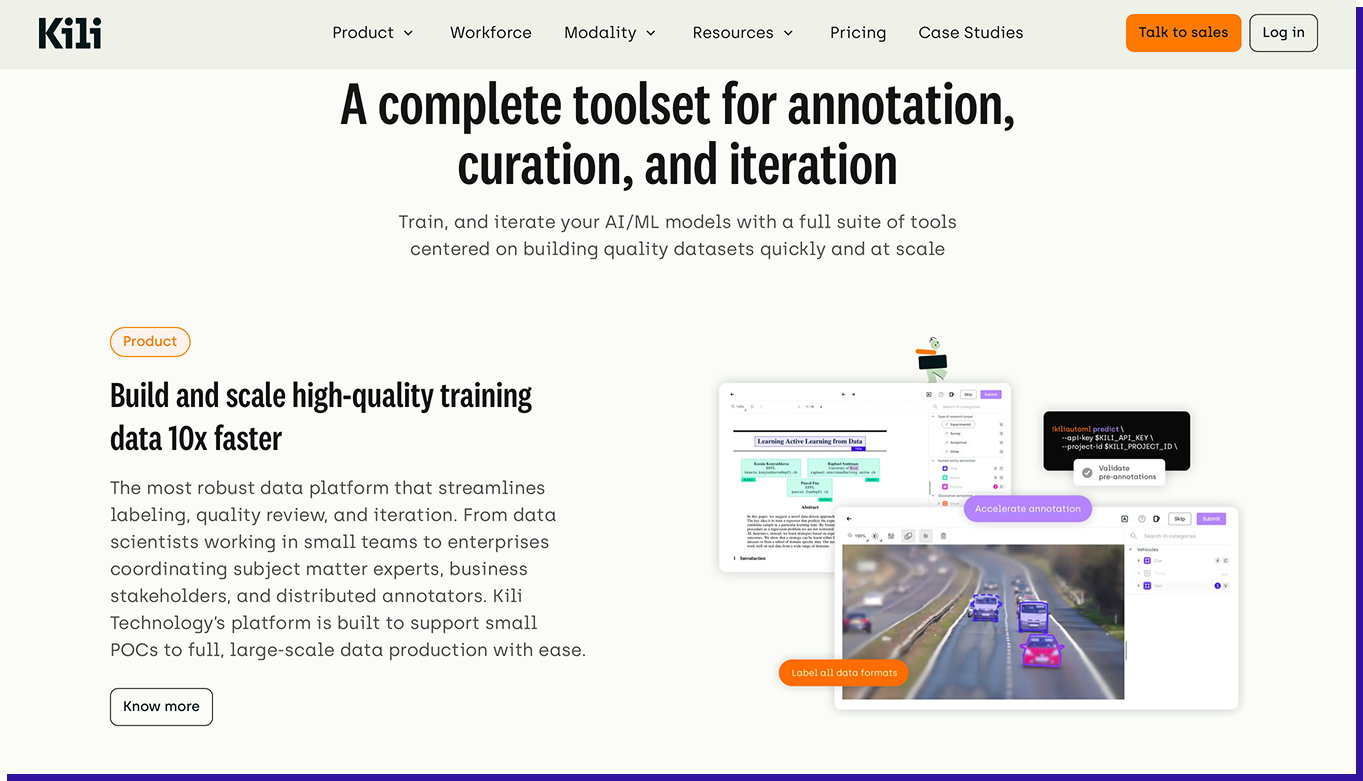
Kili is built with an emphasis on annotation quality, making it suitable for programs where accuracy and reviewer consistency are important. It supports multiple data types, including text, documents, images, audio, video, and geospatial data.
For document workflows, Kili renders PDFs directly and includes OCR validation, allowing annotators to work on the original document rather than extracted text. This helps preserve layout context, especially for scanned or complex files.
The platform supports tasks like text classification, named entity recognition (including nested entities), and sentiment analysis. It also provides features such as consensus labeling, review queues, issue tracking, and role-based access to manage annotation teams.
On the compliance side, Kili is SOC 2 and ISO 27001 certified, with GDPR and HIPAA support. It can be deployed both in the cloud and on-premise, which is useful for teams with strict data handling requirements. The platform also includes workforce analytics to monitor annotator performance and consistency.
Best for: Kili Technology is best for teams in regulated industries that require on-premise or controlled deployments, and projects where annotation quality and consistency are a key focus.
Not ideal for: Kili technology is less suitable for teams looking for a fully managed annotation solution with a workforce included and projects that depend heavily on video or multimodal annotation at scale. -
Label Studio
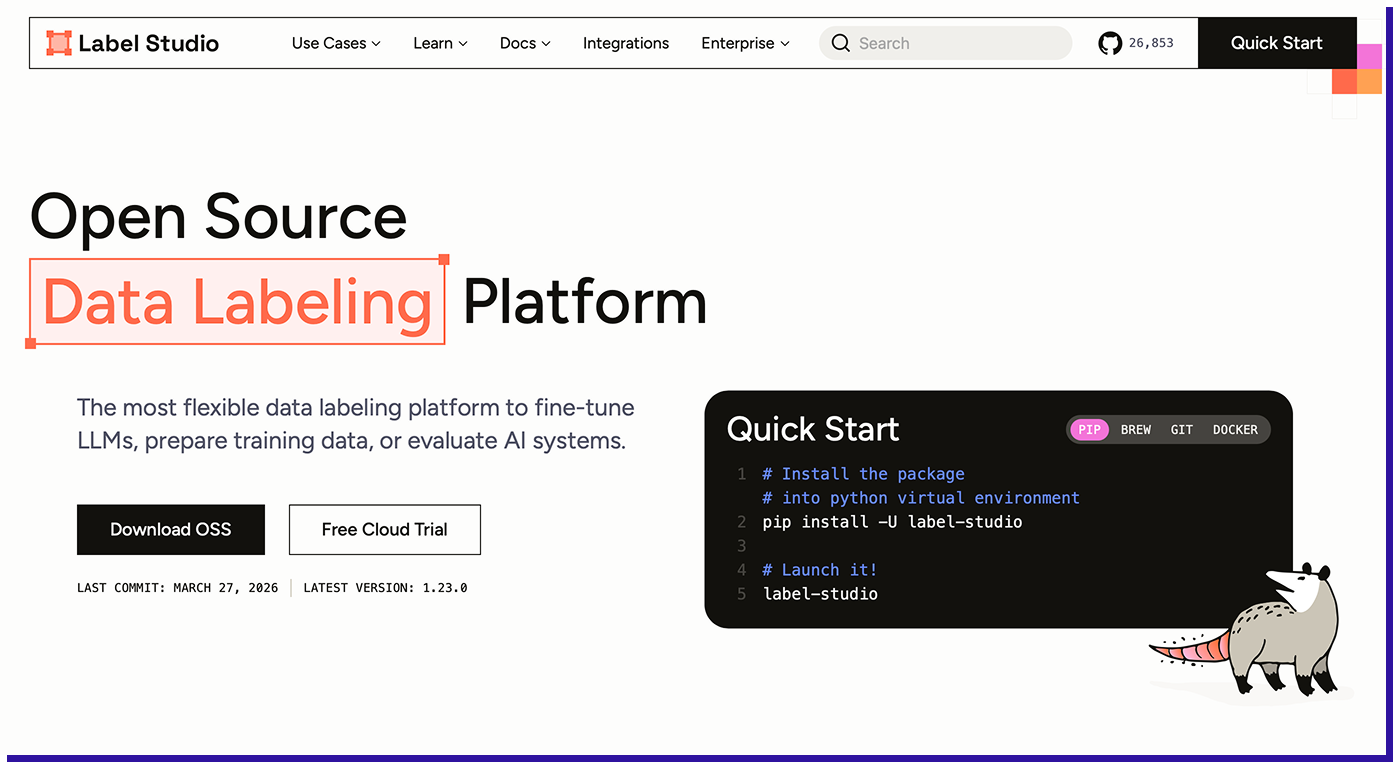
Label Studio is a widely used open-source annotation tool, popular among ML teams that want full control over their annotation infrastructure. It supports tasks like named entity recognition (NER), text classification, sequence labeling, OCR workflows, relation annotation, and document QA.
The platform is fully self-managed, meaning your team is responsible for hosting, scaling, user management, and integrations. It provides a flexible annotation interface along with a Python SDK to connect ML models. Teams can integrate models (for example, via HuggingFace) to generate pre-labels and improve efficiency. It also supports newer workflows like multi-step annotations using LLM prompts.
For document annotation, Label Studio converts PDFs into paginated images and applies an OCR layer. It works well with clean, structured documents, but more complex formats—such as scanned or low-quality PDFs—may require additional preprocessing to achieve reliable results.
Best for: Label Studio is best for ML teams that want open-source flexibility and full infrastructure control, and organizations with strong engineering resources to manage and extend the platform.
Not ideal for: Label studio is less suitable for Teams that need out-of-the-box enterprise-grade QC workflows, and High-volume programs where scaling infrastructure and QC manually becomes complex. -
Encord
Encord is a platform that originally focused on computer vision and has expanded to support document and text annotation. It offers capabilities like text classification, named entity recognition (NER), entity linking, sentiment tagging, QA pair generation, and relation annotation. For documents, it provides native PDF rendering with both the text and page image visible, helping annotators maintain context.
The platform prioritizes low-confidence or high-impact data points for review, helping teams focus annotation effort where it improves model performance the most. It also includes features like embedding-based search and metadata filtering, which make it easier to organize and work with large datasets across projects.
Encord provides standard quality control features such as review workflows, inter-annotator agreement tracking, and audit logs. It is SOC 2 and ISO 27001 certified, integrates with ML pipelines through its Python SDK, and supports common export formats like JSON and COCO. The platform is rated around 4.8/5 on G2, with positive feedback on accuracy and compliance, along with some notes on initial setup complexity.
Best for: Encord is best for Teams working on multimodal AI projects (documents + images/video) and use cases where computer vision and document annotation are equally important.
Not ideal for: Encord is not suitable for Teams running document-heavy annotation programs at large scale and use cases involving complex document layouts or high-throughput extraction.
TaskMonk pricing:
Platform access is $60 per active user/month, pay-as-you-go and you're billed only for seats actually used that month, with no feature gates, no minimum commitment, and the full platform (multimodal annotation, AI-assisted labeling, custom QA, API) from day one. Enterprise adds proprietary workflows, private-cloud/on-prem, HIPAA, SSO, and a dedicated CSM (custom).
Prefer to outsource end-to-end?
Fully managed Annotation Services are scoped per project with a fixed quote before any work begins.More details here
Test it on your own documents.
Run a TaskMonk pilot on your real files — scanned, multi-column, mixed layouts — and check the output before you commit.
How to Choose the Right Document Annotation Tool
Choosing the right document annotation tool is beyond picking the one with the most features; it’s about finding the one that fits how your annotation program actually operates.
Now that we’ve looked at the tools and factors to consider before choosing the right document annotation tool, it’s important to understand why these differences matter in practice.
Benefits of Using a PDF Annotation Tool
For AI teams, a document annotation software isn’t just about making labeling easier; it plays a big role in how reliable your training data actually is. At the end of the day, it comes down to three things:
- Catching mistakes early,
- Keeping annotations consistent, and
- Being able to trace things back when something goes wrong.
One of the biggest benefits is spotting errors before they become a problem. Even when a document looks perfectly fine, OCR can quietly introduce issues with wrong characters, messy tables, or missing formatting.
A good annotation tool makes these visible by showing the original document alongside the extracted data, so annotators can fix things in real time. Without that, errors often slip through and only show up later, after the model is trained—when fixing them is much harder.
Consistency is just as important, especially when multiple people are working on the same dataset. Small differences in how annotators interpret labels can build up over time and affect data quality. Good platforms help avoid this with clear review workflows and checks that keep everyone aligned.
Then there’s traceability. When a model doesn’t perform the way you expect, one of the first questions is whether the issue comes from the data. The right tool makes this easier to answer by keeping track of who labeled what, which guidelines were used, and where each data point came from.
Put simply, a good annotation tool helps you catch issues early, keep your data consistent, and fix problems faster—so you’re building models on data you can actually trust.
Pro tip: QC infrastructure is easiest to configure before the first batch ships. The review setup that handles 1,000 documents a month without issue will not hold at 30,000 unless it was built to scale. Multi-stage review, calibration batches, and annotator routing are not features you can add mid-program without disrupting active labeling work.
Conclusion
Most teams don't pick the wrong document annotation tool because they evaluated carelessly. They pick the wrong one because the evaluation happens at demo-stage volume, where every platform handles the easy cases well. The differences become visible later: format variance increases,, annotator consistency starts to drift, and model teams need data provenance answers that the tooling wasn't built to provide.
The teams that build document annotation programs that hold up at scale share a few habits. They evaluate tools on QC architecture and data lineage, not just the labeling interface. They configure quality gates before the first batch ships, not after the first quality problem surfaces. And they choose platforms whose document workflows were built for production annotation, not extended from a computer vision or PDF viewer foundation.
If your document annotation program is running at volume, or you're planning one that will, Taskmonk is built for exactly that operating environment: 480M+ tasks processed, 10+ Fortune 500 clients, and QC infrastructure that holds up when easy cases run out. The best way to evaluate it is against your actual documents, not a demo dataset.

FAQs


.png)
